Alerts that fire on the server and land in Telegram with the chart
Close the tab. The conditions are evaluated on the server against the same data the screener shows, and the notification arrives in Telegram or as a browser push, with a screenshot of your chart on Max.
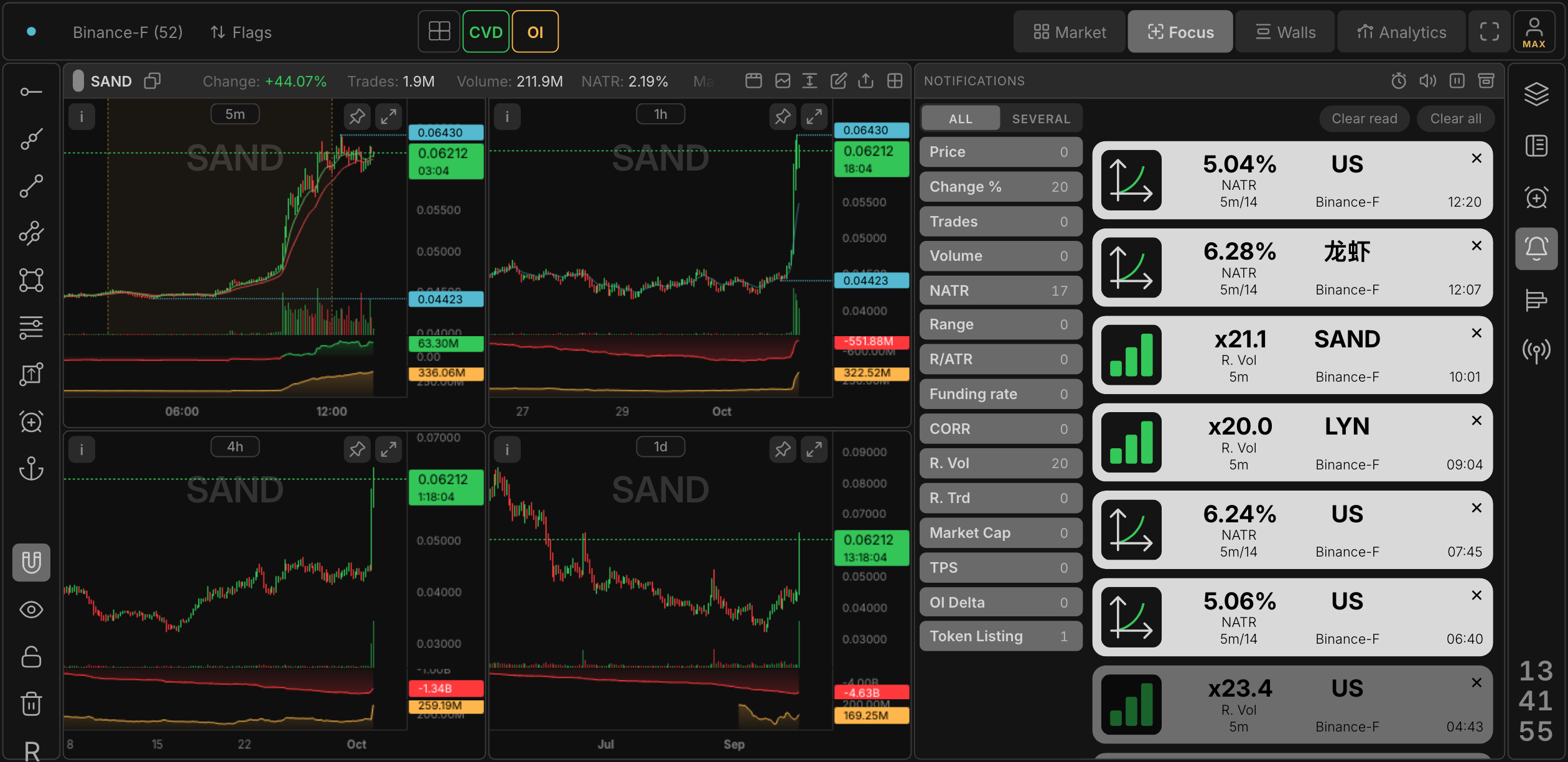
One alert, up to ten conditions
An alert is a filter you watch for you. Pick the coin or the whole market, add conditions and a timeframe for each, and the alert fires when all of them hold at once. The conditions are the screener's own columns: Price, Change %, Volume, Trades, NATR, Range, R/ATR, Funding rate, CORR, Relative volume (R. Vol), Relative trades (R. Trd), Market Cap, TPS, OI Delta and a Token listing trigger.
Relative volume compares the current bar with the coin's own recent pace instead of an absolute number, so a $3M coin and a $300M coin can share one rule. That was the screener feature traders had been asking for since 2017 and still rarely get.
The sheet filter and the alert are one mechanism
Tune a selection by eye in the sheet until the list looks right, then hang a notification on it. The alert reuses the same filter sections, ticker include and exclude lists and timeframes, so what you see and what you get notified about never drift apart.
Delivery you can trust
- Telegram and browser push. Each channel has its own schedule (quiet hours, weekdays), a pause button and a history of everything that fired, with the time it fired.
- Chart screenshots. On the Max plan the Telegram message carries a screenshot of your chart, with your drawings, at the moment the condition fired - one per timeframe of the alert.
- Latency is measured. Every fire is timed from the exchange tick to the socket and to Telegram; the figures are checked on each release, and a slowdown counts as a bug.
- History on the server. Alerts that fired while no tab was open are in the notifications panel when you come back, read or unread, filtered by condition type or by alert folder.
Simple and advanced alerts
A simple alert is a price line on the chart: drag it, and it fires when price crosses it. An advanced alert is the multi-condition rule above. Both live in folders, both can be paused, and both are evaluated on the server.
Plans
| Feature | Free | Pro | Max |
|---|---|---|---|
| Simple alerts, active | 5 | 50 | 100 |
| Advanced alerts, active | 1 | 10 | 20 |
| Conditions per alert | 10 | 10 | 10 |
| Chart screenshots in Telegram | - | - | yes |
| Alert folders | 5 | 10 | 20 |
| Exchanges | 1 | all | all |
Questions
Do alerts work when the tab is closed?
Yes. Conditions are evaluated on the server, delivery goes through Telegram and browser push, and the history is stored on the server.
Which exchanges can I set alerts on?
Binance, Bybit, OKX, Gate and Bitget, futures and spot. The Free plan covers one exchange, Pro and Max cover all of them.
How fast is an alert?
The path from the exchange tick to the Telegram message is instrumented and checked on every release; a typical fire reaches the socket well under a second and Telegram within a few seconds, screenshots included.